
Agent access, on your terms
Control what AI agents access, do, and spend.
Connect agents to your data and tools with clear permissions and price limits. GateCore checks the requests you route through it before the connected API runs.
For requests routed through GateCore.
Your API stays yours.
A record you can inspect.ALLOW
- Request
- req_demo_00000001
- Price in sample
- $1.00 USD
- Envelope signature
- Ed25519
- Payload digest
- bcc6a8035def9e6e…
Signed with a public demo key. No real purchase, payment or production outcome.
{
  "mcpServers": {
    "gatecore": {
      "url": "https://mcp.gatecoreai.com/mcp"
    }
  }
}
Discovery endpoint. Protected requests need an authorized integration. Connection guide
Same request.
Different boundaries.
Change the price or permission. See why the request runs or stops before the connected provider is called.
Interactive illustration with fictional data. Nothing is purchased or sent.
Explore the request flow ↗Company data lookup
An agent requests a company profile.
- Agent can access
- Company profiles
- This action requires
- Company profiles
- Provider price
- $0.15
- Agent’s price limit
- $0.25
- Identify
- Check limits
- Deliver result
Try a request. See the decision.
Choose a scenario, then run it.
Interactive illustration · fictional data · no live API call or payment.
Two sides. One useful connection.
Built for both sides
of the request.
One side offers a capability.
The other gives an agent permission to use it.
Your next customer may
send an agent.
Make a data lookup, calculation or API capability available for an authorized agent to purchase or use. We’ll help configure who can access it and what each request costs.
- Keep your product and customer relationship.
GateCore sits in the request path to your capability.
- Set access and pricing.
Configure permitted access and a price for each capability.
- Review requests and outcomes.
Inspect the decision and result for requests routed through GateCore.
Let useful work run.
Keep authority clear.
Give an agent a defined permission and a maximum price for each request. GateCore checks the request before it reaches the connected provider.
- Be specific about access.
Bind a signed request to an agent and its access grant.
- Put a ceiling on the request.
Refuse a provider price above the authorized maximum.
- Revoke access and inspect outcomes.
Stop new requests from a revoked key and review the record.
A connection is the start.
Authority is the next question.
Your API already delivers the capability. GateCore checks the signed agent request: who can ask, which action is permitted and how much that request can cost.
See the data-provider example ↗A place in your existing stack
Connect agents to the APIs you already run.
Keep your agent, your API and the business behind it. GateCore checks identity, access and price limits for the requests you route through it.
Your agent
Asks to use a capability
GateCore
Your API
Delivers the data or action
What was requested. Why it ran or stopped. What came back.
Requests must be routed through GateCore; provider integration and access controls are part of setup.
A request your team can review.
Bring the decision, its context and the resulting record into view.
Explore the console example ↗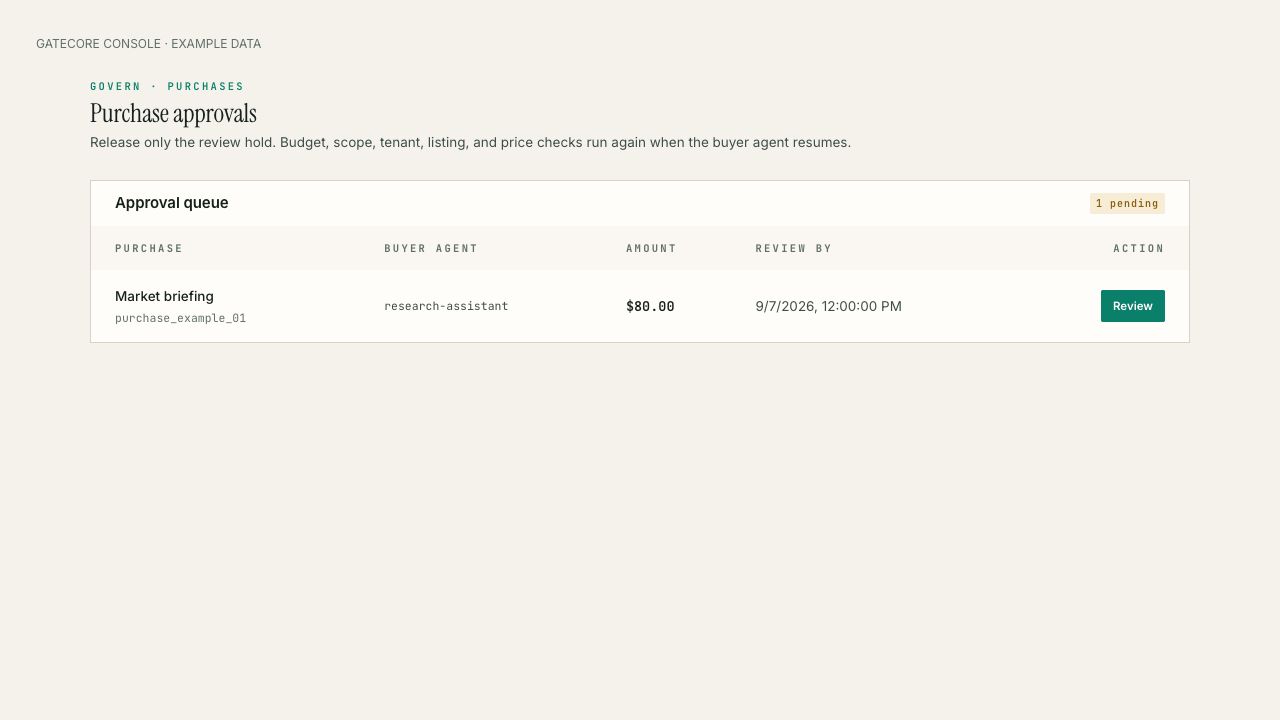
An interface example. Not evidence of a production request.
Make the first step concrete
Start with one
useful action.
A data lookup. A calculation. An API action.
Choose something valuable, make its boundaries clear, and see the full request through.
Choose an endpoint.
Identify the capability and who should be able to use it.
Define the request.
Set its permission, provider price and authorized maximum.
Put it to the test.
Check an allowed request, a denied request and the evidence.
Tell us what your agent needs to access, do, or buy.